What annoys you about TopStyle?

Now that I’m working on TopStyle again, I’m wondering what I can do to make it less annoying.

Every piece of software has annoyances – seemingly minor things that over time really get on your nerves, like:

  • Constant dialog boxes asking you to confirm something you’ve confirmed 100 times before
  • Settings that change behind your back
  • Tasks which require too many keystrokes or mouse clicks
  • Features which take a while to complete yet give no visual indicator telling you when they’ll be done

So in addition to adding the usual bug fixes and new features to the next version of TopStyle, I’d also like to remove the things that annoy you. If there’s something in TopStyle that makes you grind your teeth, please let me know by posting a comment here.

Extended Replace in TopStyle 3.5

One of the most popular features in HomeSite was “Extended Search and Replace,” which enabled searching and replacing blocks of text across multiple files.  I remember hearing from countless customers who used HomeSite for this feature alone.

Pretty much every text editor had a similar feature, but HomeSite’s was really easy to use, and it was extremely fast.  So it was no surprise when TopStyle customers who had switched from HomeSite requested the same feature in TopStyle.

I partially addressed this in TopStyle 3.10 by adding “Find in Files” (Shift+Ctrl+F), which improved upon HomeSite’s “Extended Search” by adding regular expression matching. But as nice as this feature was, it only searched files.  The lack of similar replace feature has been a sore spot for some TopStyle users (including myself, to be honest).

So today I finally buckled down and added an “Extended Replace” feature to TopStyle 3.5 which makes HomeSite’s look childish by comparison.  You can do things like:

  • Replace only if the text occurs outside of an HTML tag
  • Replace only in files that have been modified in a specific date range
  • Replace only in files that have not been modified in a specific date range
  • Include or exclude files based on their extension
  • Save your search/replace operations so you can repeat them later

Here’s a screenshot of how it looks so far:

I’m working on TopStyle (and you can be, too!)

I’m finally working on TopStyle again after waaayyy too much time away from it. 

I really am sorry that we’ve been so quiet about TopStyle.  As NewsGator CTO Greg Reinacker explains in this forum post, we’ve spent quite a bit of time trying to find a new home for TopStyle, and we couldn’t say much while conversations with potential buyers were going on.  Sill, I know we could’ve done a lot better communicating with TopStyle customers during this time, and I personally regret how we handled this situation.

Anyway, in the end we’ve decided to keep TopStyle as a NewsGator product, and our immediate goal is to release TopStyle 3.5 as soon as possible.  Version 3.5 will primarily be a bug fix and Vista-compatibility release, but I hope to sneak a few new features in, too :)

Once TopStyle 3.5 goes out, we’d like to begin work on TopStyle 4.0.  And this is where you come in: given all the activity around FeedDemon, it’s unlikely that I’d have enough time to create a major release of TopStyle, so we’re actively searching for a skilled Delphi developer to eventually take it over.  If you’re interested, or you know someone who might be interested, please check out the job description for details on the position.

Outlook 2007 CSS Definition for TopStyle (BETA)

If you rely on HTML email to contact your customers, you’ve probably heard the news that Outlook 2007’s HTML rendering has been downgraded.  A number of CSS properties that were supported in earlier versions of Outlook are no longer supported.

Microsoft offers a validation tool for Outlook 2007, but if you’re a TopStyle user, chances are you’d like to validate from within TopStyle, so I ‘ve created a “style definition” for this purpose.  To install it, just follow these steps:

  1. Close TopStyle
  2. Download Outlook 2007.def and copy it to TopStyle’s \CSSDefs subfolder
  3. Restart TopStyle, then press Shift+Ctrl+D to change the style definition to “Outlook 2007”
  4. Press Shift+F6 to configure TopStyle’s style checker to validate against the Outlook 2007 definition
  5. Enable “Show browser tips” on the “Error Levels” section of the style checker’s options if you want TopStyle to warn you when you’re using a CSS property that’s not supported on all HTML elements (for example, MARGIN isn’t supported on SPAN elements).

After doing this, TopStyle’s style checker (F6) will let you know when you use any CSS properties and attributes that aren’t supported by Outlook 2007.  In addition, the style inspector will only show CSS properties and attributes that are supported by Outlook 2007, and any unsupported properties in your style sheet will be shown in red.

Note: This style definition is considered a BETA version and was created based on information found here, which I assume to be correct.  If you find any discrepancies, please let me know and I’ll post an update.

Simplicity Ain’t So Simple, Part V: Combine Features

In this series of blog posts for developers, I’ve talked about simplifying your software by hiding non-essential features (or not adding them in the first place).  But sometimes you can simplify your software by combining features.

That may sound weird, but take a close look at your application and chances are you’ll find some features that overlap.  Look even closer and you may discover that you can combine those features in a way that makes your application simpler.  Here’s an example:

Over the past few releases of FeedDemon, I’ve struggled with the number of items to show on the toolbars.  I wanted to make sure that the most important features were easily accessible, but I didn’t want to overwhelm new users by showing too much at once.

By far the biggest struggle has been with the toolbar above FeedDemon’s integrated web browser, which looks like this:

Notice that the address and search boxes are separate?  To geeks like me it makes perfect sense to do this, but as Ivan Ičin points out, less experienced users don’t always see these as separate actions.  So this week I decided to combine them, like this:

And you know what?  Not only is this more intuitive for inexperienced users, but I’m finding that I like it better as well (a lot better, in fact).  Combining these features is simpler than having them separate.

Combining features can also mean making an educated decision about an action the user makes.  For example, although you can explicitly tell FeedDemon to mark an article as read, it’s automatically marked as read when you click its title to navigate to it on the web.  You’ve chosen to read the article online, so why force you to mark it as read?  By combining the two actions, FeedDemon is simpler to use.

Similarly, TopStyle has one toolbutton for refreshing the internal browser so that it shows the latest changes, and another toolbutton for saving those changes to disk.  But when you save changes to disk, TopStyle assumes you’ll want to see those changes, so the browser is automatically refreshed.  Not forcing the user to explictly refresh the browser after saving changes makes TopStyle simpler to use.

These are minor things, sure, but it’s the little things that keep people using your software for the long haul.  It’s easy to impress new users with a shiny new UI, but if you want to keep them as customers, save them a few steps.

Jack Brewster is an ex-NewsGatorite

If you’re a TopStyle or FeedDemon customer and you’ve ever contacted our support team, chances are you know who Jack Brewster is.  A couple of years back, Jack was an avid poster to my support forums – and he was so helpful that I convinced NewsGator to hire him after they acquired my company.

Jack has done an amazing job since then, not only answering countless emails and forum posts, but also doing “house calls” when people blogged about a problem they were having with one of our products.

Sadly, today is Jack’s last day with us.  As he states in his blog, he’s enjoyed his time at NewsGator, but working from home just wasn’t his cup of tea.  So when he had an opportunity to return to his previous job, he jumped at the chance.

I’d like to publicly thank Jack for the great job he’s done for us.  Jack, I can honestly say that having you on board has made the transition to NewsGator much easier for me, and also easier for our customers.  Good luck in your next position – and keep in touch!

IE7, FeedDemon and TopStyle

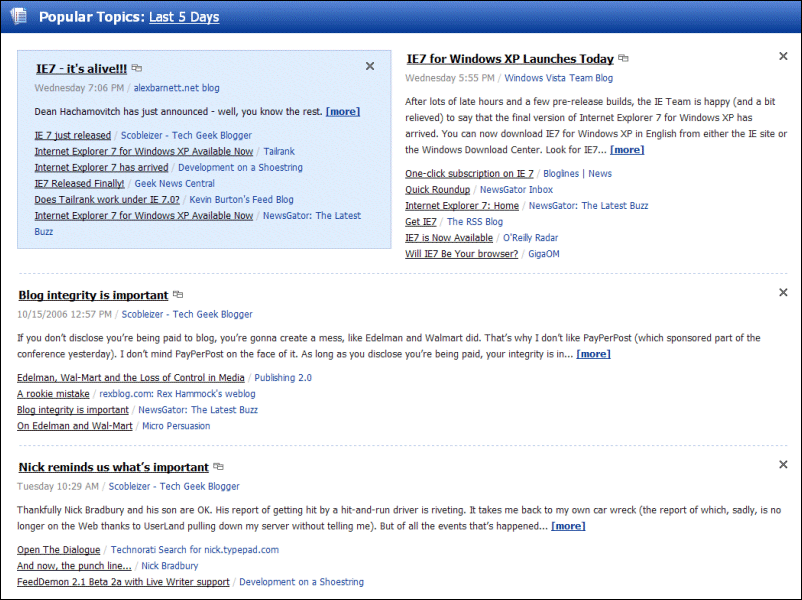
According to FeedDemon 2.1’s “Popular Topics” feature, this week’s big tech news is the release of Internet Explorer 7.  I’ve tested both FeedDemon and TopStyle with the final release of IE7, and I’m glad to report that I didn’t run into any problems.

Surprisingly (to me, anyway), I’ve read a number of negative posts about IE7.  Personally, I like IE7 – a lot.  I’m sure that my saying that will cause some readers to write me off as yet another Microsoft ass-kisser, but that ignores the fact that I switched to Firefox a couple of years ago.  I still like Firefox – especially all the great extensions that are available for it – but I’ve switched back to IE, and I don’t regret it.

However, like many developers, I’m still sore that Microsoft took such a long time to update IE.  Windows users endured years of spyware and other vulnerabilities while Microsoft dragged their feet, slowing the progress of the web while they figured out their web service plans.  IE7 is a nice piece of work, but it didn’t have to take so long.

Anyway…

One of the biggest (and most welcome) changes in the new IE is in its CSS support.  IE6 had a number of CSS bugs and omissions that have caused excessive hair loss in web authors over the past few years, but IE7 is a major step forward CSS-wise.  My favorite CSS addition?  We finally have support for fixed positioning.  Once IE7 is more prevalent, you can bet I’ll be using position:fixed in FeedDemon’s newspapers (using TopStyle, of course).

PS: Apologies for not enabling comments, but I’m going offline this weekend and don’t want to worry about the usual flood of comment spam.

We’re Looking for a Denver Delphi Contractor

If you live in the Denver area and have the chops to build great Delphi applications, perhaps you’d like to come work with us?

As you can see from the job description, we’re looking for an experienced Delphi contractor with proven UI skills to help take over TopStyle’s development. We need someone who is committed enough to take charge of getting a major new version out the door (something I’ve been unable to handle due to FeedDemon’s popularity). This job may expand so that you’d also help out with FeedDemon.

We’re a great company, we’ve got a great team, and as my previous post illustrates, we have a lot of fun. If you’re up to the task, we want to hear from you!

Dvorak is wrong about Internet Explorer

In his post The Great Microsoft Blunder, John Dvorak claims that Microsoft made a huge mistake by linking Internet Explorer to Windows. While I agree with much of what he says (Microsoft has taken an enormous number of hits due to Internet Explorer), as a Windows developer, I have to respectfully disagree with his conclusion:

“Microsoft should pull the browser out of the OS and discontinue all IE development immediately…People will not stop buying Microsoft Windows if there is no built-in browser.”

Now, I’ll be the first to admit that the way Microsoft embedded the browser into Windows was sloppy. I still wince when I think about the support problems I had with HomeSite that were caused by new versions of Internet Explorer updating important system files such as comctl32.dll. And don’t even get me started on the anti-competitive ways in which Microsoft negotiated OEM deals regarding Internet Explorer, or the poor design decisions that have caused so many of the security problems that Windows users face. So, if we’re talking about how the browser was embedded in Windows, I agree that Microsoft blundered. But if we’re talking about whether embedding a browser in an OS is good idea, I say that it is (and Apple says it is, too).

What Dvorak ignores is the huge number of Windows applications that have benefited from the ability to embed a web browser. Microsoft has done a great job making it easy for developers to host Internet Explorer in their software, and this has been a good thing for customers. Think of all the software that relies on an embedded IE – not just commercial web authoring tools, feed readers, email clients, etc., but also the thousands of in-house applications that need to display web pages. This isn’t a minor point: millions of people rely on software that requires an embedded web browser, and in this regard, these people benefit from having the browser included in their OS.

(And yes, I know that theoretically you can embed the Mozilla engine in Windows software. The problem is, embedding Mozilla is a pain in the ass. I speak from experience: TopStyle provides the option to view your work in either an embedded IE or Mozilla (or
both at the same time), and despite the fact that the people who use the embedded Mozilla are in the minority, we’ve had far more support problems with it than we’ve had with IE.)

If Microsoft hadn’t included Internet Explorer with Windows, developers such as myself would have had a much tougher time providing customers an integrated browsing experience. And, of course, given that Microsoft has bundled IE with Windows for such a long time, there’s no way they could stop this practice without breaking scores of applications that depend on it.